Skip to content

Leave a comment.Get a pull request.

Design on your real components, try it as the real product, ship it as a pull request, with fewer AI tokens.

For companies

For individuals

Free and Pro are coming soon.
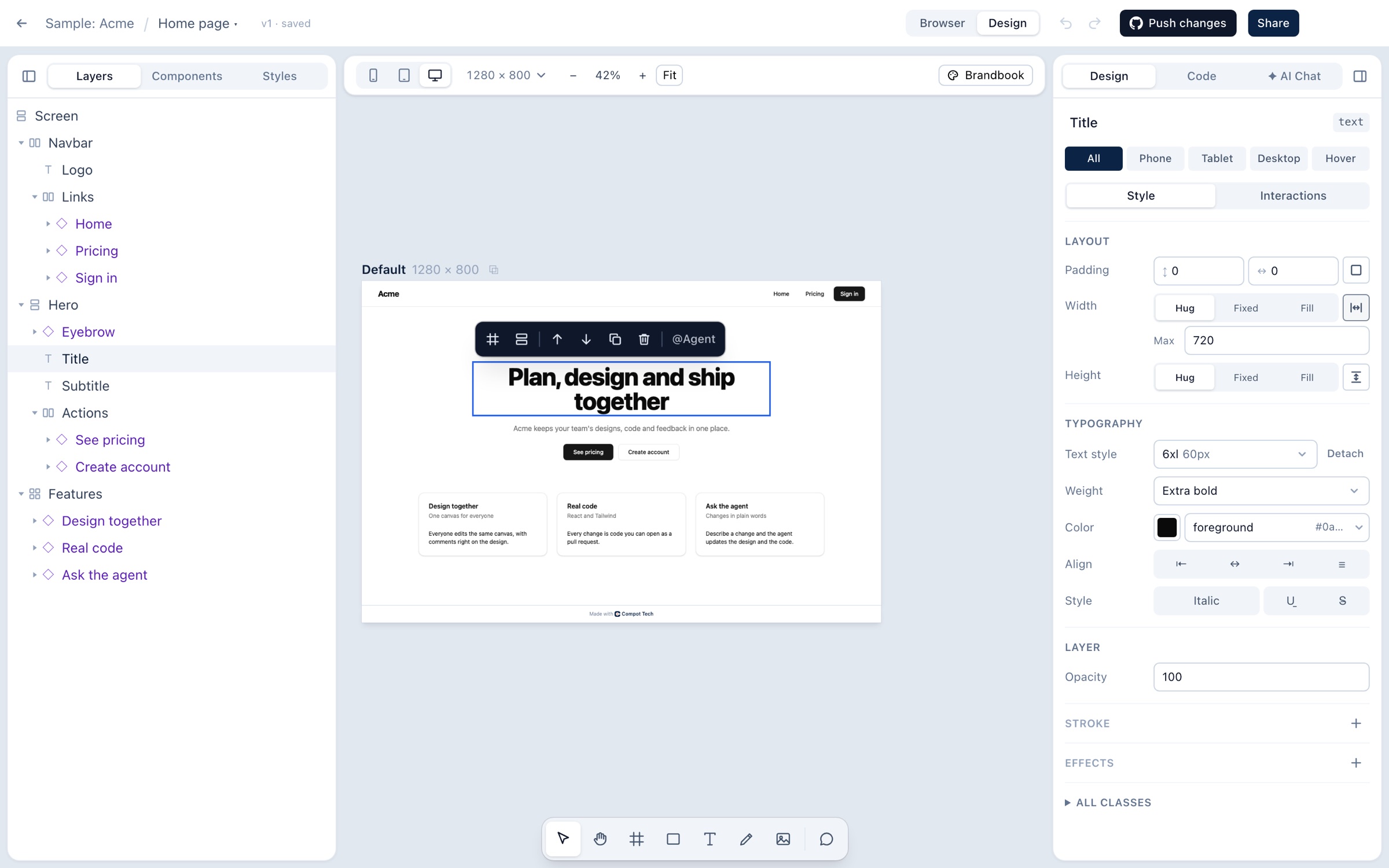
The Compot Tech editor in Design mode: layers on the left, the sample Acme page on the canvas with its title selected, and the title's styles on the right.

Build one product, together.

One file for designers, developers and PMs. Comment on anything, mention a teammate or the agent.

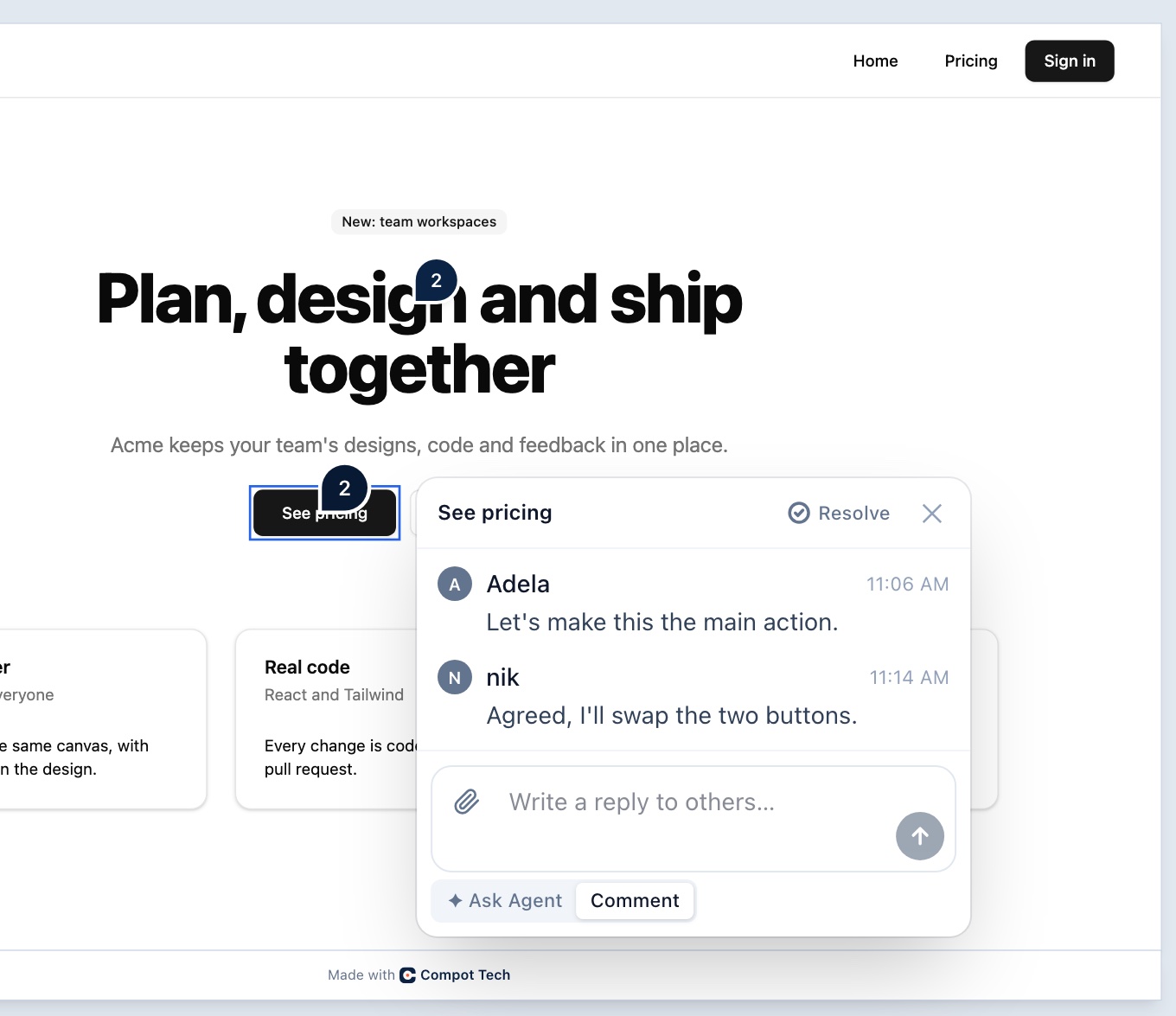
  1. Comments on the element

    Pin a thread to any button or card.

  2. Names on everything

    See who changed what.

  3. Version history

    Restore any version.
A comment thread on the See pricing button in Compot Tech: Adela asks to make it the main action, and nik agrees to swap the two buttons. The reply box is in Comment mode, and the title above has its own thread.

Your design system, or any other.

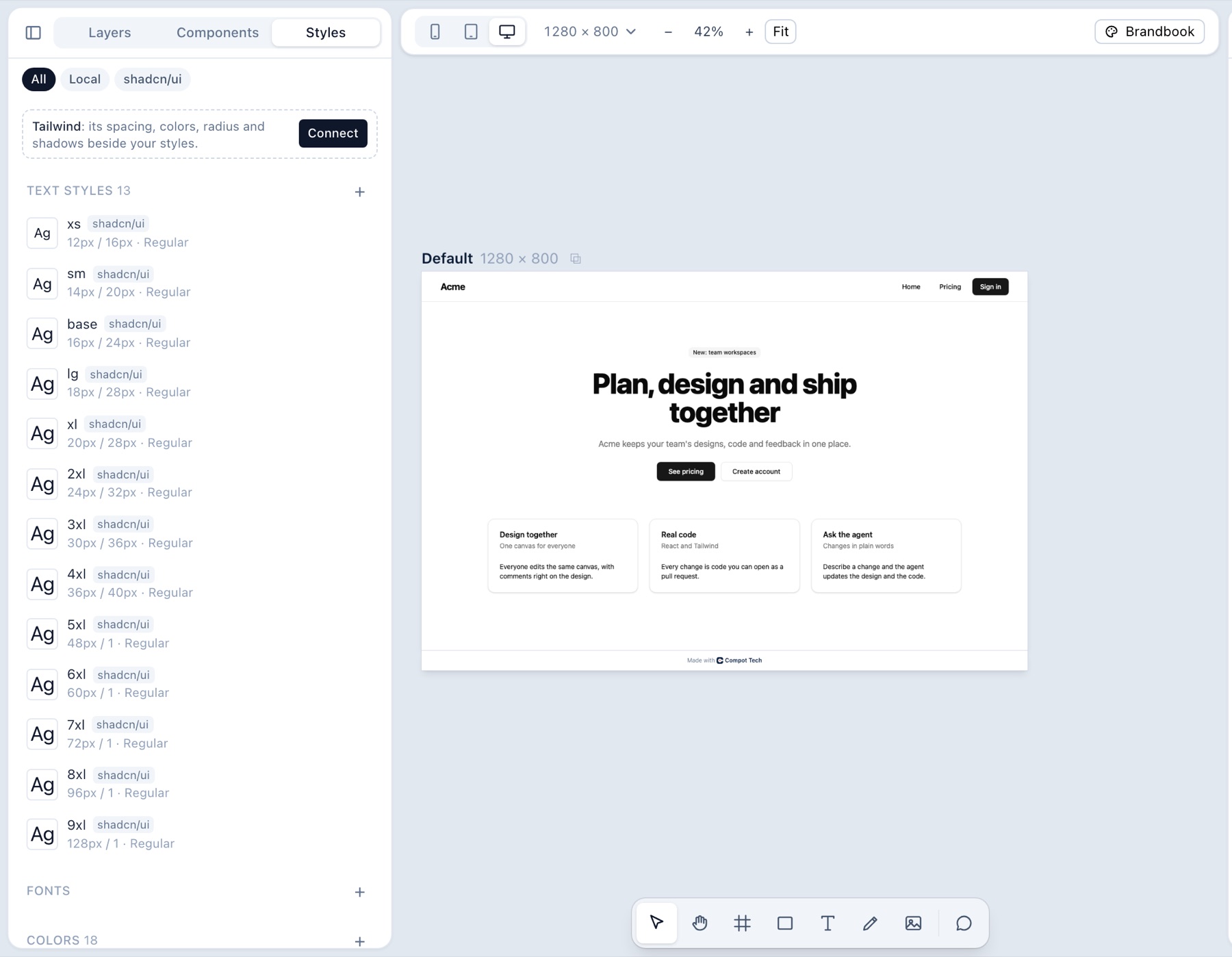
The Styles panel in Compot Tech, listing the project's shadcn/ui text styles from xs to 9xl, next to the sample page on the canvas.
  • Your styles, by name

    Tokens like “md · 16px”, not hex codes.

  • Your components, not copies

    Real instances, with variants and props.

  • Any design system

    Your own, from Figma, or from any repo.

  • The agent stays on system

    It reuses your components and tokens.

Design and code are one thing.

Every layer is real code. Change the design and the code follows.
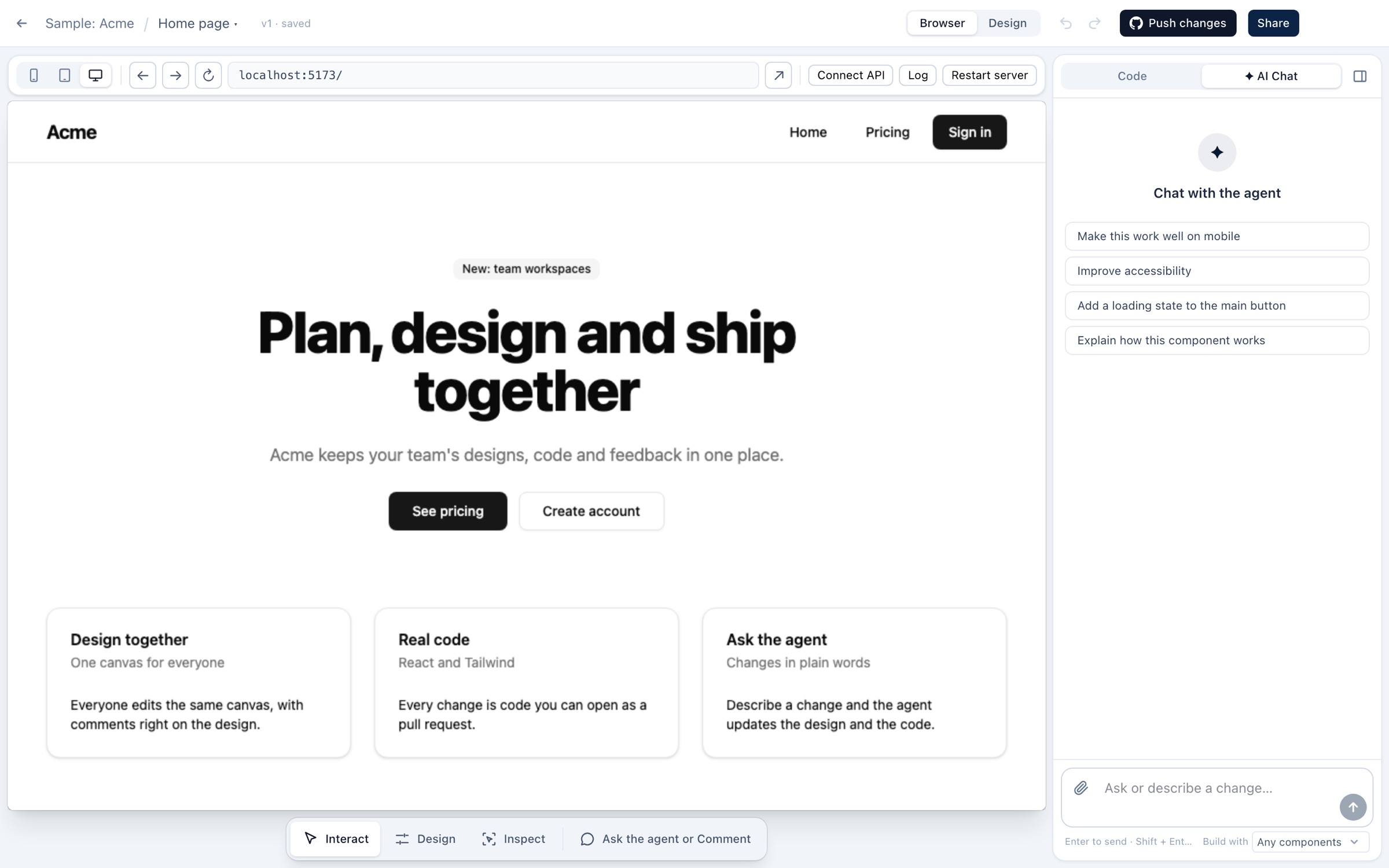
Compot Tech in Browser mode: the sample Acme site running live, with the agent chat beside it.
Browser mode, the real product
Type, click and see real states.
Design mode, like Figma
Frames, auto layout and breakpoints.

Connected to GitHub.

Pull, push and open pull requests, even if you don’t code.

Pull
Repo changes come back to the canvas.
Push
Open a PR with working code.

Agents for one element, or the whole site.

Change one button, or every page at once. Then keep it or undo it.

One element
A comment changes just that card.
The whole site
One chat request updates every page.

Bring your own models, through MCP or API.

Use the model you trust. Your provider bills you, not us.

  • API

    Your model, your key

    Claude, OpenAI, Gemini, OpenRouter or a local model. Your key is stored encrypted.

    • Claude
    • OpenAI
    • Gemini
    • OpenRouter
    • Ollama
    • LM Studio
  • MCP server

    Your own agent, through MCP

    Claude Code, Cursor or any MCP client picks up @Agent requests.

    • Claude Code
    • Cursor
    • Any MCP client

Simple plans.

Free and Pro are coming soon. For your company, book a demo.

  • Free

    Coming soon

    Try it on your own.

    $0

    Forever, with a few limits

    • 3 projects
    • Import from Figma and code
    • GitHub pull and push
    • AI agent on your own key
  • Pro

    Coming soon

    For solo builders.

    $18

    per month

    • Everything in Free
    • Unlimited projects
    • Guests can edit
    • Shared component libraries
  • Enterprise

    For whole companies.

    Custom

    Priced for your company

    • Everything in Pro
    • Organization and teams
    • One AI key for everyone
    • Admin panel
    • SSO and invoices on request

Every plan uses your own AI key.

Your next UI changecould be a comment.

Book a demo for your company. Free and Pro are coming soon: join the waitlist to get in first.